
Importance Of Mobile and Web App Maintenance for Guaranteed App Success

Application maintenance is often overlooked by businesses and brands as the majority of the private and commercial entities emphasize heavily on the project’s production process rather than the upkeep. If you’re a sole proprietor, personal brand, business, or large corporation with low downloads or reduced software sales, chances are you’re not emphasizing on application maintenance and support as much as you should. The Significance of Mobile and Web Application Maintenance When it comes to the success of your mobile and web applications, there are various aspects that you’ll need to consider regarding maintenance. If you expect higher consumer retention, you must have adequate application maintenance facilities. Furthermore, you must introduce new features regularly to stay competitive and encourage customers to actively use your app. Businesses are constantly looking for new ways to expand their audience reach when it comes to custom software solutions. One way to achieve this is to create a mobile app that will help boost loyalty or create custom software or an app specifically for that purpose. The mobile app can also be used to retain customers by providing a better experience through smoother functionality. According to various studies, a small increase of 10% in retention can result in a more significant 30-40% increase in business value/revenue. Enhanced Functionality Brands and businesses providing custom software development solutions often deal with scaling applications that have been live for a certain period of time. With such applications and software, as well as new applications, the users are more likely to be aware of the functionality shortcomings as well as the benefits of using your product in a certain way. This is the biggest reason people may delete your app if it doesn’t match their expectations or doesn’t work as well as the other applications on the market. With consistent updates to the app’s UX, centered around smoother, user-friendly, and competitive functionality, user retention and the number of users will increase significantly. This aspect of application maintenance will significantly increase the success of your mobile and web applications. Bug Fixes Regular application maintenance can assist in reviewing the code and determining whether or not there are any defects. The need for bug fixes often arises with custom web application development and even with non-custom projects. When the app goes live, developers may notice a few bugs or performance issues. They are most likely to occur when the app is being launched in a hurry. Defects can appear at any stage of the mobile or web app development process. Bugs may also exist as a result of changes in the associated framework, platform, or version upgrade. The functionality issues can then be investigated and resolved quickly, allowing the app to run more smoothly. However, if the bugs are not fixed on time, it may result in customer attrition. Cyber Security A significant aspect of application maintenance is the timely upkeep of your app’s security protocols. Hackers and firewall penetration experts are constantly looking for flaws in applications. Over the years, the number of successful cyberattacks has gradually increased. Despite being supported by encryption technologies, the applications’ security protocols may become obsolete over time. Your app must include adequate security measures. It’s better if there’s a specialized team to assess and plug any vulnerabilities in a timely manner. The team must also stay current on the latest security protocols and incorporate them into the app. Blocklist Avoidance When businesses publish applications on the app store, they must adhere to certain guidelines. Furthermore, rules and regulations change over time, requiring developers to stay on top of these changes. The significance of web and mobile application maintenance stems from the fact that a dedicated team would be in place to monitor any changes in app store guidelines. Furthermore, upgrading the app will keep it compatible with the app store updates. This will ensure that your web and mobile application development services stay relevant for a longer period of time. Reduction Of Downtime According to recent reports, various critically acclaimed brands have suffered significant revenue losses as a result of their app’s downtime. Revenue losses are inevitable and bound to increase if applications experience more significant downtime. However, we’ve seen that regular application maintenance activities enable better performance metrics for web and mobile applications. Having a team of developers segmented to handle app upkeep activities can assist you in meeting desired performance levels and growing your business. It can also reduce unnecessary customer ratings and lead to better overall better reviews. Better Marketing The best marketing tactic is keeping your users happy. In today’s rapidly evolving digital space, it’s necessary to make applications that cater to the needs of your target demographic. With a team of professional developers working on your application maintenance, the positive reviews are going to keep piling up. If you respond to the positive and negative reviews for your application, then it directly translates to your users that you care about them and want to ensure the best possible experience for them. This aspect is said to have a positive effect on SEO rankings, as confirmed by Google. Upgraded Versions, Better Retention You can’t expect customers to use a mobile app for very long. The significance of web and mobile application maintenance stems from the fact that app users enjoy seeing new features over time. As a result, developers must formalize a roadmap outlining the features they intend to include in the app at regular intervals. When adding new features, you must consider scalability, efficiency, and performance all at the same time. Users also believe that the brand is still alive and well, and that the app is being managed by an experienced team. Upgrading your applications in a timely manner is going to boost consumer loyalty as well as grow a sense of fidelity between you and your consumers. Need-Based Maintenance Web applications and mobile applications differ across various platforms, niches, and production processes, as well as the issues they are developed to resolve. It is due to this
A Detailed Guide to The Web Application Development Process

Introduction Web application development has come a long way since the early days of the internet. In the past, web applications were static, and pages would often take a long time to load. Today, web applications are much more dynamic and responsive, thanks to advancements in technology and the rise of custom web application development for providing game-changing features, outstanding security, and memorable user- experiences. Now the question arises, what exactly are web apps and how are they developed? This blog intends to shed some light on web applications and their development process. After you are done reading this blog, you’ll have a better understanding of what steps are involved in developing a web application and you’ll be able to make an informed decision about whether or not investing in a web application is the right option for your business. What Is a Web Application? A web application is computer software that performs operations via the Internet by utilizing web browsers and web technologies. In simpler words, it is an interactive application that can be accessed through a web browser. The demand for web applications is increasing very rapidly as they not only help businesses streamline their operations but also provide an exceptional user experience to customers with ongoing application support and maintenance in the long run. How Is a Web Application Different from a Website? The below table explains the further differences between a web app and a website. Web Applications Development The process of building interactive programs that operate on web servers and are accessed via a web browser is known as web application development. Typically, developing a web application entails identifying the issue, modeling a potential solution, contacting users, selecting a framework or tool, and then developing and evaluating the web application, often simultaneously with users. Steps Involved in The Development Process for Web Applications The web app development process requires exactly 8 steps to be followed which are: 1. Identify the Issue You Are Attempting to Resolve Identifying the key issue that you plan to solve with the development of a web app serves as a compass to direct you on the right track. The solution can only be derived if the problem is clearly defined. Everything needs to have a purpose otherwise it’s of no use. 2. Configure Your Web Application’s Lifecycle A web app development life cycle provides a strategically developed technique for successful performance. Therefore, you must set up the entire lifecycle of your web app from creation to retirement. 3. Create A Wireframe/Web Application Prototype Consider the wireframe to be the “sketch” or “blueprints” for the app, encompassing both the front and back ends of how the app will look and function. Hence, your wireframe serves merely as a tool for explaining your solution to your intended users. By incorporating more functionality into the generated wireframes, the finished prototype can look and operate just like a genuine web app. This prototype may be used and tasted, with responsiveness and improved UX features that imitate the user experience, providing vital insight on performance, design, and user experience prior to complete development. 4. Pick Your Weaponry You will create your web application using a variety of platforms, tools, and frameworks. It’s crucial to select the right instrument for the task (in this case, your web application) and avoid following trends. For a simple to-do app, for instance, Django and React might be excessive. 5. Establish A Database for Your Web Application The database is in charge of gathering, saving, analyzing, and controlling data collected, as well as giving protected access to this data. Throughout this domain, the choice is quite simple, with two MySQL practically monopolizing the database market, with other possibilities like MongoDB and PostgreSQL. 6. Frontend & Back-End Both your front end and back end will probably be constructed at the same time. Your front end will largely resemble the prototype or wireframe that you evaluated earlier. HTML, CSS, and JS make up the front, similar to one of our front-end frameworks. One of the most challenging aspects of developing a web application is creating the backend. The main responsibilities of the backend are to serve the front end, authenticate users, grant access, and provide HTTP endpoints for your front end (note CRUD!). 7. Examine Your Website’s Application The process of testing your web application is continual and typically occurs both during and after the building stage. Testing can be carried out manually or automatically. You ought to make an effort to address functionality, usability, compatibility, security, and performance testing during the testing phase. 8. Host and Release Your Web App Running your web application on a server is known as hosting. A domain must be purchased, and a cloud hosting company must be selected. You will need to implement a CI tool to transfer your web application from your local computer to your cloud provider and deploy it. Tools And Technologies Used in The Development Process for Web Applications JavaScript, CSS, and HTML go hand-in-hand when it comes to custom software development. Although it may seem difficult at first; understanding web technology and how it functions, though it gets easier once you know what you’re doing. Do not worry if it does not come to you immediately. To dig more into web and mobile app development, you might need more time, experience, and endurance, but gradually, you’ll have a thorough grasp. You’ve heard the phrase “web development technology,” but have you considered what it means? Because computers cannot speak with one another in the same manner that humans do, they must rely on codes. The markup languages and multimedia applications that computers use to communicate are known as web technologies. 1. Browsers Browsers request information and then display it to us in an understandable manner. Consider them to be web interpreters. Some of its examples are: Google Chrome – Google’s cross-platform web browser. Safari- A graphical web browser developed by Apple. Firefox – A free and open-source web browser created by the Mozilla Foundation and its subsidiary,
10 Compelling Reasons for Custom Web Application Development

There is no denying that web applications have become a crucial instrument for business. The purpose of web app development is to streamline things for businesses as well as customers.Yet hiring an experienced web app developer is vital as each business has unique needs. Such companies help their customers by providing a superior web apps. Customized web apps address a wide range of needs in a precise manner, improving both performance and output.Let’s look at how web app development can be beneficial for your company. Flexible And Scalable Application Predesigned websites and apps are not scalable or flexible, and thus have a short lifespan. They needed to upgrade as your company grew. As a result, it’s built with scalability in mind, making them adaptable to changing needs and preferences. This feature of the custom web app allows you to save money and resources. With cloud-native apps, enhance resilience & create extra value for the firm. Low-Maintenance You should not have to worry about your team having the latest version. This is because it gives updates to anyone who needs them. If there is a problem, you can contact a support team of developers 24/7. Furthermore, Updating and maintaining software can perform directly on a server, and efficiently deployed to users’ computers. Outstanding Security Having an online presence brings challenges of security to the table. The risk of a data breach via malicious attacks and spyware is something that every business must undertake while planning their web application. However, the custom web application developers keep these challenges in mind and use effective firewalls to keep the data safe. As a result, ensures the security of your application and business. Complete Functionality Management When designing a mobile app or web app, it is important to optimize for potential drawbacks. This allows the application to run smoothly and helps you cope with issues such as unexpected breakdowns and delays in output delivery. Customer Friendly Journey Each company has goals, and a tailored website is a powerful tool to help you achieve them. A bespoke solution is taking into account all the details of your particular company. As you know, a great CX (customer experience) is a guarantee that happy clients will keep coming back, bringing round a couple of new ones. Conveniences for SEO Boost Custom websites open the door for more complex and more advanced SEO optimization. Optimize a website from scratch, and you will be able to win with keyword-rich text and tuned-up imagery, consistent website structure in search results. Unique And Interactive Website The custom web app allows you to create a unique and appealing design that increases your brand value and business growth. Better Business Function Automation It can take time to integrate large amounts of data, which can be time-consuming and repetitive. Customized web applications automate the process, allowing for timely data integration. Custom web apps help businesses to improve internal and external functions. They help businesses to generate leads and to attract prospects. Also, help to organize and automate the data delivery to convert prospects into customers. Cross-Platform Efficiency Custom web applications can access by clients despite the working frameworks they are likely to use. Windows, Mac, and other operating systems are among them. With the collection of search engines, like Internet Explorer, Bing, and Firefox, clients run into problems with programming resemblance. Makes Business More Successful A custom web app contributes to success and efficiency. This way, you’ll be able to control overhead costs and avoid gaps. It provides a significant boost to overall performance. Conclusion It’s a game-changer for businesses as it automates workflows, provides data security, and allows for growth. These features are far more effective than commercial software, which has useless features, targets hackers, and is expensive in the long run. Instead, work with a reputable app developer to understand your company’s needs and build a robust application that is perfect for you and your team. Golpik, as a leading US-based web development Software House, is well-versed in the area of web apps, both technically and conceptually. If you want to create a custom web app for your company, or you want to know why and how you can optimize your web app performance, you can Contact Us.
Best Practices for Application Management Services

In order to stay competitive, it is vital for you & your company to take the right actions to quickly adapt to the market’s ever-changing dynamics. If you own a successful business and want to expand your market, you should be aware that the notion of application management is rapidly changing in today’s world. Do you know?! Applications that are well-managed are more reliable and less prone to failure, which could result in a loss of functionality. As a result, it not only reduces the risk of downtime but also improves overall workflow. We can imagine how challenging it is to keep your application updated and maintained, as improvement is unattainable without a transparent plan or strategy. Let’s look at how you can improve application maintenance and support strategy in order to boost productivity and businesses growth. Optimize The Debugging Procedure It encompasses the entire scope of work performed in order to troubleshoot and fix bugs discovered by users or through error reports. Logging, scrutiny, testing, feedback recording, and rectification are all required for defect tracking. In fact, the final step in defect tracking is to create a newer version to rectify and fix the issues. Typically, I.T product has hundreds of bugs and issues that users must verify, manage, evaluate, take priority, and correct. Defect tracking can be applied in any engineering process, but it is commonly used in software engineering. You can use a defect tracking and management system to make the process simpler and more straightforward. Adequate testing to increase efficiency Testing is an important part of the application maintenance and support mystery. Because an application is used for a long time, it is inevitable that the system’s environment will need to be changed, corrected, or modified at some point. Following the changes, proper testing must be carried out, and this type of testing is known as maintenance testing. In most cases, this type of testing is divided into two phases. First Phase The first phase entails testing the actual modifications and changes to see how the system reacts to them. When a new feature or specification is introduced, testing becomes even more critical. Second Phase The second phase entails regression testing to ensure that the system is functioning properly. Regression testing also determines whether the system has been harmed by maintenance or support work. If any issues are discovered, rectification is made easier as a result of the testing. In a nutshell, if any maintenance is performed, or even if regular maintenance is performed, testing becomes critical in order to improve the effectiveness of the support. Constant Enhancement of Support Packages When you want your application maintenance and support plan to run smoothly, you must choose support packages. Support packages are patches that are applied during the maintenance process to correct or fix any issues. The support packages generally contain the following updates that have to be put in the diagram: Most of these packages are designed to be easily integrated into your regular maintenance schedule. On the other hand, are designed to ensure that no data is lost or that your system also isn’t interrupted. The issues which these packages resolve is then documented in order to implement an effective defect management system. Since most support packages have to be updated as per the current scenario or environment, it may become difficult for your in-house app support & maintenance team to come up with new updates quickly. It would be preferable if you chose to outsource application maintenance, as there are third-party I.T. companies that can help you. companies that offer this service. The outsourcing option is a much more relevant and cost-effective solution. Most businesses understand that they must keep their applications in top shape in order to meet the needs and requirements of their clients, which can inevitably lead to business growth. Code Modifications and Optimization Any defect in your application could be caused by a coding error. In fact, any correction could result in code changes and optimization. If you want to improve your maintenance and support system, making code optimizations and modifications may become second nature to you. Let’s take a look at an example. During any re-engineering process, the analyst or software professional may choose to make revisions to fix problems or issues. For example, in this case, an application may rely on multiple loops, each of which is involved in achieving a specific scenario. However, due to the large amounts of data involved in processing, these multiple loops may cause significant performance degradation. To correct the situation, the expert will recommend reducing the number of loops—this implantation will occur only as a result of code optimization to achieve the best results. Your team and you must keep code changes and optimization on standby in case a similar scenario arises. If the analyst or team believes that the current codes aren’t up to par, or aren’t justifying the current environmental scenario, code tinkering may be done. These code changes would undoubtedly improve the application’s efficiency and overall business growth. 24×7 Dedicated Support Team Wouldn’t it be great if you had a dedicated team to look after and support your applications 24/7 a day,? Your applications, on either hand, necessarily require constant support and monitoring. As a result, having 24-hour support for your applications is always advisable by Golpik. This planning would be extremely beneficial because it would be classified as a high-level service strategy. Because critical applications should work properly flawlessly 365 days a year, it is critical that these systems be monitored 7 days a week! 24-hour support will ensure that your systems are always performing at their best and delivering the results you expect. The complete dedication to support will improve your maintenance and support program by providing a competitive advantage to the overall cause. Many outsourcing companies now provide round-the-clock support to their customers/clients in order to ensure that their applications are bug-free. They accomplish this on a global scale by delegating the process to multiple
8 Mistakes to Avoid During Web Application Development

Did you know that around 90% of startups fail right after their launch? That’s quite a high percentage indicating that many things need to go right for a business to succeed. The reasons for this may vary reliant upon various factors. It can be due to the underestimation of market research power or engaging with inexperienced experts. Businesses that aim to survive in such a saturated market have to think differently. Through this article, we are going to discuss the costly mistakes every web application development business must avoid. Validating Your Idea Validating your idea saves you time, money, and effort at an early stage, before investing too many resources. The deeper you get down the development cycle, the more difficult, costly, and unappealing it gets to claw your way back up and start over. Another reason is to spare the world from yet another unnecessary or mediocre product. Thorough research on the product, customers, competitors, and deep analysis of the potential of the market is vital. This can help you evaluate whether your idea is worth investing in or not. Ask yourself the following questions: Does my idea solve a real problem? Is there a need for it? Should it be done? Is there a market for the type of application I want to develop? Are customers happy with the existing solutions to the problem I want to solve? Is there a way I can bring additional value to get ahead of my competitors? Neglecting Target Audience Identify who is your web application for, and whom do you wish to attract. If it fails to meet the expectations of the target audience and solve their pertinent problems, then creating it is pointless. You must keep in mind that business products should always be customer-oriented. If you miss this point early on, you will have to invest extra time and money, in the end, to refurbish your application to fit your consumers’ needs and expectations. Not Creating a Prototype The next big step is to create a working application version to show to the investor. A huge mistake made by some businesses is that they develop a fully-fledged running web application, instead of making a prototype. Just imagine, after spending so much time and money on creating the web app, there is no investor for it, all your efforts and investments would go down the drain. This is why creating a prototype would be a wise decision. It is an interactive mock-up demonstrating the web app’s design and user flow. Though it is far from a fully-fledged working application, it shows what features are truly necessary or what ought to be removed/added/changed. The development phase starts only when the investors are interested in the idea. Businesses must believe in the power of prototypes if they desire to avoid web application mistakes. Skipping MVP Development After getting positive feedback from the investor, developers tend to start with the full application development. This is a huge mistake on their part, why? Because the feedback provides a hint of the need and preference of the investor. Nothing else! Let’s not forget that it is extremely important to collect the initial feedback from users the web application is meant for. You are making an application for your target audience so it has to be appealing to them. Otherwise, it’s pointless. Minimum Viable Product (MVP) is building products with only the minimum, but essential set of features. It is crucial for getting a general understanding of the final product and for learning how to use it as well as to test the product and make alterations later based on customers’ feedback. The core of the product is evaluated with an MVP; hence it is less likely for there to be any need for the complete product to be redesigned and rebuilt. Businesses that don’t evaluate the viability of business ideas fail to survive due to the fierce market competition. The choice is all yours. Would you like to be among businesses that make millions and billions, or would you like to skip MVP and be among those who fail in the first year of their business? Saving On a Software Provider The best and most convenient way to initiate building a web application is by finding a software development partner. Tech teams with little to no experience lack creativity and inventiveness. This may lead to low-grade development, with a lack of scalability, and the worst UI/UX. Thus, finding the right fit is crucial as compromise can lead to disastrous outcomes. Want to know how to find the right software provider? Let us guide you: Domain Expertise First and foremost a good software developer is someone who has experience in handling complex web apps and a solid background in providing customized web development solutions. Relevant References It’s tough finding the right development partner among hundreds. Such popular platforms as Clutch and Trustpilot will help you with this. You can extract a list of reliable software companies based on crucial factors such as their market presence, relevant experiences, and testimonials and reviews by real customers. Narrow Technology Stack Partner with a software provider that is specialized in a few technologies. This shows that they are more focused and can produce brilliant results. Let’s not forget, jack of all trades and master of none is of no use. Portfolio Don’t forget to check the web development samples the company has delivered. The portfolio section of the software house can help in estimating their potential. Through case studies, various web development companies share their success stories. These case studies will prove that the company delivers user-friendly and intuitive products. Creating Needless Functionality Some developers feel pride in introducing exclusive features in the web application. However, not all new or exclusive features are worth the time and effort. A lot of functionalities can make the whole user interface and user experience complex. It also takes extra time in development, leads to a waste of budget, and causes a delay in the launch of
Reasons Why Your Business Needs CMS

Regardless of what size or type of business you have, a relevant website that looks professional, reflects your brand, and garners customer trust is essential in today’s digital world. Building a website typically requires creativity and technical knowledge. CMS can help you leverage both. It allows businesses and individuals to edit, manage, monitor, and maintain existing website pages in a single interface without needing technical knowledge. You can streamline workflows and ensure that your team can easily manage your site’s content by building your website with a CMS. Here are a few major reasons why you should consider using a CMS for your website: Ease of Use CMS interfaces are designed to be user-friendly for those who do not have a coding background, so there is no risk of a writer accidentally deleting an important part of a page. With a great content management system, your team members can easily create, add and manage pages on your site, images, videos, testimonials from your customers, and much more. Working within a CMS will allow you to build pages in half the time it takes to build pages from scratch, especially in case the design requires custom coding. As the name implies, the ability to manage content, rather than just create it, is an important feature of the CMS. In other words, it is equally important to use the system simply and to monitor the progress of results. You can use a web analytics platform like Google Analytics to measure conversions, depending on the goal of your CMS, like a commerce site or a blog. Good Loading Speed A website that takes too much time to load or refresh will only frustrate the visitor and he won’t even take a second to move on to another website. Imagine how many potential customers you will lose with each passing second. CMS dramatically and directly affects how your website performs on different devices. Most CMS platforms provide valuable insights on speeding up your website in their built-in reports. These insights include simple tips like minimizing animated text and limiting the use of custom fonts. You can boost the website speed with a CMS that supports site speed, optimization plug-ins, caching plug-ins, and other tools, such as JS (JavaScript), HTML, and image optimization. Uniform Look One of the most helpful features present in most CMS platforms is the ability to create a template. With CMS, you don’t need to go through the hassle of manually changing design elements on each page. You can simply make a change to a template, and then apply it to all pages using that template. This will give your website a uniform and professional look with functionality that’ll cater to your customers and prospects. Support for SEO The role of SEO is to increase the likelihood of your page being found online via search engines. In other words, the better the SEO performance is, the better the website visibility will be. You have to continuously focus on improving or maintaining your search ranking if you want your website to stay on the top in the search results. To do so, you need to ensure that the site content stays relevant. Thanks to the ease of content editing in CMS, you can optimize your title, meta descriptions, keywords, and even add call to actions, all in a single text field without adding extra tools or plugins to your website. You can also make links clickable, add paragraph tags, and suggest best SEO practices to the user with intuitive CMS platforms. CMS will let you optimize the crucial factors of SEO; content marketing, on-page SEO, and off-page SEO. Cost Saving Imagine that you got your website built by a specific developer in a complicated language that only a few professionals know. The lack of expertise will raise the prices for the service which will make it very expensive for you to keep the structure functioning and updated. CMS allows people with little or no technical skills to easily create, update or modify the website content. All you have to do is simply log in, make the edit, and hit save. This means no more urgent calls to offsite developers for minor tweaks and edits, that can add up into big bills. CMS allows even the most novice web designer to create or update the entire website’s design and layout Fast Installation and Easy Upgrades Installing a CMS is much faster than coding a website from scratch. With the help of standard bundled features that come with the CMS, you will be up and running in little to no time. CMS mostly comes with round-the-clock support teams that are constantly working on updates and new features. Doing so means that your website always stays up to date. Potential security risks or vulnerabilities are dealt with quickly ensuring that your website is always secure. User Permissions Needless to say, there will be more than one person at your company working on the website. A CMS allows you to customize user roles and permissions for each team member based on their responsibilities. This makes sure that the contributors have been granted access to only what they need and this also helps prevent the risk of users accidentally altering something they shouldn’t. Furthermore, you can also create workflows to ensure the content gets posted only after proper approval. Security With continuous digital technology advancement, the threat of data breaches increasingly hovers over businesses, making security a crucial factor for any website. Hence you should check what security features come with the software, and what extra third-party security applications you may have to use. High-end open-source applications such as WordPress are built with advanced security mechanisms; however, they do not provide support service for CMS installation and maintenance, so you may need to use a third-party support service. A good CMS should offer robust security to safeguard your website’s data; whether it be from an inadvertent loss or any malicious activity. Conclusion Using a CMS will allow
10 Must-Have CMS Features For Your Business in 2022
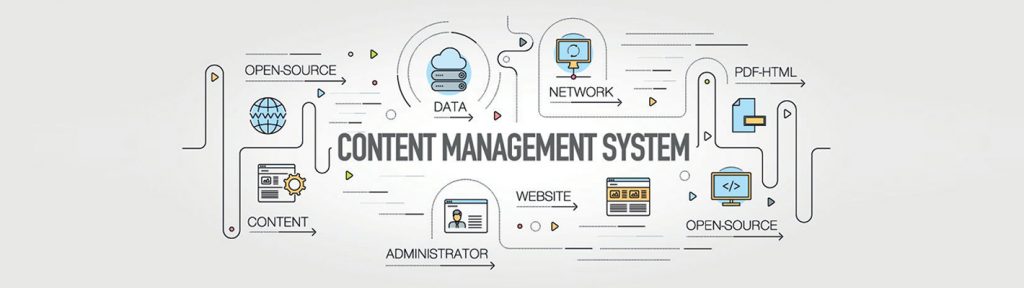
A content management system (CMS) is a software that enables a user to create and control the site’s content, design, and functionality without touching any underlying code. Think of it as driving a car. You do not have to understand the mechanics of how it all works. Instead, you use pedals and a simplified dashboard to tell the car what to do. Not only does a CMS store all of your web content in one place, but it also allows for quick and easy updates, supports collaboration across teams, and offers templates and extensions to customize your site. Before choosing a CMS, it is a good idea to make a list of the business problems you are trying to solve as well as any specific requirements you may have. Doing so will help you choose the right content management system, rather than the most popular one. When it comes to choosing CMS, you should go for the one that would meet your current and future expectations. Below are the 10 key features all CMS platforms should have. Key CMS Features Intuitive Dashboards The dashboard is the heart of any CMS. Whether it be scheduling content, monitoring threats, installing modules and plugins, tracking user activity, or reviewing performance analytics, it enables you to manage all tasks involved in content production and distribution. An intuitive dashboard will display all your tools in an effective and visually appealing manner. Responsive Themes/Templates While evaluating the CMS platforms, it is important to look at the themes/ templates each one offers. Themes are pivotal for creating a consistent look and feel across your site. All posts and pages published on your site should be optimized for all devices which makes it necessary for the theme to be responsive. If the CMS is not offering responsive themes/templates, it is always crucial to check if the download or purchase option of such themes or templates is available or not. Powerful Publishing Tools A good CMS offers a rock-solid, easy-to-understand, and intuitive content editor that allows you can to create and publish content of different types on the go. Ideally, it should allow you to add images, forms, videos, call to action, and more. Moreover, you should be able to rearrange these elements within the publishing interface. You can also leverage from the WYSIWYG – ‘what you see is what you get’ editor. Many CMS platforms have this editor. It allows you to modify a page without writing HTML code and see the changes in real-time. You’ll also want to ensure that the CMS makes it easy to manage the content as you need. For example, you may want to unpublish a promotion, while keeping the content handy to reuse it in the future. Any move should automatically update links to provide website users with a seamless experience. Built-in SEO Tools The in-built SEO tools make it easier for you to boost your marketing efforts. You can improve your ranking on search engine results pages and optimize your content for search with the help of built-in SEO tools in CMS. When you select any CMS, you should check whether it uses the following or not: Proper HTML markup SEO-friendly permalinks Responsive design elements These are the three essential practices all your pages should adhere to be in good standing with search engines. Detailed Analytics When it comes to visualizing what is working best for your business, analytics and insights are extremely important. It is crucial to know where your target audience is moving to further refine the content strategy. You need to know what device are they using, which pieces of content are most popular, and how they are interacting with content on different devices. Your CMS mostly likely will have built-in analytics for measuring the key performance indicators right from your dashboard. In case it does not, it should offer integration with any well-known analytics tool such as Google Analytics. Workflow and Publishing Controls It’s highly unlikely for only one person to be publishing content on your site, irrespective of the size of your business. When it comes to creating and publishing content, you might assign different roles to different people such as administrator, editor, author, and contributor. Having various roles with different capabilities and levels of access within your CMS helps streamline your workflow. It also prevents users from performing actions on your site that they shouldn’t be. For instance, you probably wouldn’t want an intern content writer to write and publish his post without your approval. The publishing controls within your CMS should reflect what your organization needs. With this in mind, your CMS should allow you to delegate controls based on your organizational structure. Pre-made Templates A template is a single-page layout available within a theme or is compatible with a theme and can be downloaded separately. Pre-made templates simplify your publishing process. With these, you don’t have to create a post or page from scratch every time you want to publish new content as the pages are already built. Some platforms offer pre-built templates for website pages, landing pages, and email directly within the CMS. Rest offer templates that can be purchased and easily integrated into your platform. In case you don’t find a template that meets all your needs, you’d like a CMS that allows you to create custom templates and styles along with offering pre-designed templates. Security Maximum security on your web app doesn’t mean just protecting your data. It also means protecting your brand reputation and the data of the site visitors and your customers. You must keep a close eye on security measures when considering different CMS platforms. Look into what built-in features does the platform offers, how much work your team will have to do to achieve your security standards, and whether or not your customers’ data is going to be secure. You may also want to make sure your CMS follows HTTPS, SSL, and CDN protocol, and provides plugin update reminders, daily back-ups, to ensure your data is secure. Integrations
Best Practices to Improve Web App Performance

It’s essential to understand that you only get one chance to make the first impression when it comes to user experience. In the case of web apps, speed makes the first impression about your business. Web app owners may assume their sites are fast enough without even measuring the real performance. However, their idea of “fast” and that of the visitors may be quite different. Unfortunately, there isn’t a perfect solution that will magically do away with all performance roadblocks. However, there are a set of best practices to improve web app performance. That when carefully matched with your needs will surely help your business flourish. Why Should You Care About Performance? Substandard UX Increases Customer Churn If your web app’s speed isn’t satisfactory, even the most relevant offering and best-optimized content won’t be able to do you any good. Everyone has become incredibly impatient as the quantity of stimulus around us has increased, and all we care about online is quick gratification. The longer the load time of a page is, the higher the chances are of a user leaving the page and heading to the competitor’s web app. For impatient users, even a blink of an eye is too long to wait. Poor Performance Reduces Conversion Rates If your web app is plagued by performance troubles, there’s no doubt you’re losing a lot of potential customers and hence a lot of revenue. As we have discussed above, users have become impatient which suggests that high page load time increases bounce rate, which directly translates to decreasing conversion rates. The probability of bounce increases 32% as page load time goes from 1 to 3 seconds. (Google, 2017). If you’re curious about the impact of site speed of your business, Google’s Test My Site can quickly quench your thirst for this knowledge. It is a tool that will assess your site’s current performance, and correlate future improvement with the potential increase in revenue. Visibility and SERP Ranking According to Google, there is a correlation between a website’s speed and its user experience. This is because the visitors spend more time on fast-loading websites than on slow-loading websites. In 2018 Google announced that their ranking algorithms would start considering the “page speed” of sites. It is assumed that if your web app’s loading time is slower than two to three seconds, Google’s algorithm is most likely to lower its SERP position, nevertheless of how well it is optimized for SEO. If you are aiming for your site to get a higher organic ranking on search engines, it’s needless to say that it’s essential to work on optimizing its performance. Ways To Improving Web App Performance Spot and Resolve Bottlenecks The first and foremost thing you must do is to identify bottlenecks and problems that are slowing down your web app. If you do not have the extensive technical knowledge and you want to find out about your web app performance or what curbs its speed, you can check it with Lighthouse or PageSpeed Insights. On the other hand, if you’re a more tech-savvy CTO, we recommend you try webpack-bundle-analyzer. Working with webpack-configured apps, this tool provides an interactive graph displaying the contents of your app. Using this knowledge, you’re one step closer to optimized performance and reduced bundle size. When it comes to spotting bottlenecks at the backend, the tools chosen depend on the framework used in the project. For instance, if you have chosen Django framework, you can use Django Debug Toolbar. With this toolbar, you can see precisely what and how many queries were performed to load the page or resource along with the time needed to perform them. You can then refactor the code by exposing unwanted or slow queries. Caching Your web application performance goes up with the help of caching. The new page requests by users don’t have to be generated anew from your server for a certain time before you update your page with new content. Browser Caching When a user visits the website for the first time, his web browser downloads various website resources such as images, JavaScript files, etc., and stores them in the local drive. When he visits the website again, the web browser will retrieve the web resources from the cache. As a result, the web page will load faster than the first visit. Implementing browser caching is simple. Just add a Cache-Control header to your request. By doing so, you can control how, for how long, and under what conditions browsers cache the response. Server Caching It stores content on the website’s server and does not have any involvement of the end-user, or a browser. By implementing it, only the first visitor to your website will request content from the origin server. Whereas all subsequent users will be served data from the same cache. This will relieve the server and improve the page load time. Lazy Loading Lazy loading helps reduce the loading time as instead of loading the entire web page and rendering it to the user in one go as in bulk loading, it only loads the required content and delays the remaining until the user needs it. It is a great option for optimizing page performance and keeping visitors on your site. IntersectionObserver is a popular lazy loading technique that can be used to keep track of what element should be downloaded next and also to divide modules by route. By doing so, the required modules are fetched only when a user navigates to a specific route. You can also toggle loading procedures with each image on the web page with the “loading” attribute. Using Content Delivery Network (CDN) When you host the website on a single server, all requests by users are sent to the same hardware. This not only increases the time needed to process each request but also the load time as the users are physically far from the server. CDN can help overcome this issue. The goal of CDN is to
The Ultimate Guide to Scalable Web App Development

Just imagine: your team has put in several months of hard work to develop a prototype and an MVP, and is now ready to show the public the full version of your web application. The initial response is phenomenal, the buzz starts building around it, customers are referring the app to their friends and family, and the user base is growing. Your start-up appears to be doing well – except it isn’t. With increasing workload, your web application starts slowing down or in the worst-case scenario, it even crashes. The users start switching to other apps due to the deteriorating UX. All of this happens because you didn’t prepare to scale up at the development stage. What does this suggest? You need to make your startup future-proof by ensuring that your core product is scalable from the very beginning. What Is Web Application Scalability? Scalability refers to an application’s capability to adjust to the desired capacity and handle an increasing amount of work without disrupting the user experience. In other words, a scalable web application is an application that effortlessly handles large volumes of data and delivers impeccable performance, regardless of the load changes. In general, there are two approaches to future-proof your web application: vertical scaling (scaling up) and horizontal scaling (scaling out). The former involves boosting the power of an existing machine, e.g., by increasing RAM or disk capacity. The latter refers to expanding your resources with more machines. Scalability can also be measured over several dimensions, the most prominent out of all is functional scalability which is considered as the app’s potential for further development. Architecture You need to start with two steps to develop a scalable web app correctly. The first step is to make the right architecture-related choices about storage, language, hosting, and framework. The second step is to learn how to unleash the full potential of the solutions you have chosen. Storage The foremost step is to choose a proper database engine and design the best possible schema. You have two options for selecting a database. One is to choose a NoSQL database, which not only scales well but is also resilient and high-performing. In this case, our top pick is MongoDB. The other option is an SQL database and we recommend going for Oracle. Once your web application starts growing, you might want to think of replicating your database i.e., creating a couple of instances of the database, each of which is responsible for one CRUD operation. When your web application grows further, it’s time for you to think about sharding i.e., allowing larger datasets to be split into smaller units and stored in multiple data nodes which leads to an increased total storage capacity of the system. Hosting After storage, your next decision should be in regards to server infrastructure and configuration. We recommend keeping your code in the cloud solutions such as AWS or using Docker. You can easily containerize your application using Docker. It is important to automate, the creation, configuration, management, and disposal of docker containers from top to bottom. You can scale applications both horizontally and vertically with docker, depending upon your needs. Another cloud solution is AWS. Amazon offers several tools for system administrators and developers looking to improve scalability. AWS Application Auto Scaling adjusts the capacity of the application to ensure smooth performance at the lowest possible cost. Languages If you’re in need of developing a scalable web app fast, it’s crucial to use languages that have stood the test of time, boasted bigger communities, and had better support. Hence, for the frontend, we suggest considering JavaScript/React or JavaScript/Angular. Whereas for the backend, we recommend the Python/Django REST Framework. CI/CD The CI/CD approach consists of three elements: continuous integration, continuous delivery, and continuous deployment. CI/CD ensures frequent, fast deliveries and fewer bugs due to the ongoing automation in all stages of development. Software engineers are coding simultaneously which does speed up the work but it also poses a risk of errors in the application. In case it happens, the Application of CI/CD helps overcome the problem of spending long hours integrating the pieces that had been made separately by developers. The following conditions should be met when introducing CI/CD into the development cycle: • Using mature, battle-tested development processes • Leveraging proper services (such as AWS) and tools (e.g., Jenkins or GitLab) • Using a separate server or platform for continuous integration which will perform the tests automatically within minutes • DevOps engineers with skills and experience to handle the implementation and manage the further application of the process Performance Performance optimization is getting more important with every passing day. The users want a fast, highly interactive, and smooth experience. It is a difficult task, especially, when your business is constantly scaling. However, there are several optimization practices that can help you enhance the app’s performance remarkably. Switching From Synchronous to Asynchronous Communication Synchronous operations require a given task to be completed or waiting for a response before moving on to the next one. Whereas asynchronous operations help avoid the bottleneck of having to wait for one function call to finish or for a certain task to be executed before continuing to the rest of the program. This comes in handy when your product starts growing and receiving requests from multiple users at once. In such a scenario, asynchronous helps enhance performance by shortening the total execution time. Page Load Time It is defined as the time it takes for website or app page content to completely show up on your screen. The page load time can be reduced by: • Resize and compress the images, and select the format that best suits your needs. • Uninstall the outdated or unnecessary plugins as they slow down the web apps • Keep the CSS and JavaScript codes in external files otherwise, it initiates download whenever a page is requested. • Reduce redirects to minimize the time needed for a page to load.
The Need for Web Application Maintenance

Summary Web application maintenance is just as significant as application development. This blog highlights the types of application maintenance and why it is crucial for the success of your business. What is Web App Maintenance? Web app maintenance is the continuous improvement, modification, and reevaluation of apps that already exist and are used by users. It is all about bug fixing on time, implementing new features, improving performance, correcting errors, and caring about app quality. This is an ongoing task that makes sure your applications are constantly running to the best of their abilities. Maintenance’s main goal is to provide a secure and pleasant user experience. Why Is Web App Maintenance So Essential? With advanced technology that is changing at the speed of light and with the constant fierce competition, it is crucial to meet the demands, and keep the app updated to make sure users enjoy it instead of abandoning it. The user who cannot fully benefit from the web app will get irritated, and look for some other reliable, competitive one. This is a significant risk for your business. It is necessarily required for each product to go through the secured app maintenance process. Proper app maintenance is tremendously important to fix any issues that may be arising during the course of product functioning. In case this is neglected or not treated as a serious concern, companies and clients may have to face a huge level of financial penalty and could also suffer from the consequences of different maintenance issues. Types Of Web App Maintenance Corrective Maintenance Corrective maintenance is mainly done to fix bugs or resolve errors that arise in the app. It is done when the app is not functioning properly due to critical issues like faulty logic flow, incorrect implementation, and invalid tests. Likewise, it is also used to resolve issues in the app that are having a negative impact on the user experience. Adaptive Maintenance Adaptive maintenance is done to keep the app compatible with changing business needs, technical evolution, new laws, new policies, and security threats. The adaptive changes mainly focus on the infrastructure of software. It includes changes in hardware, platforms, operating systems, cloud storage, etc. Perfective Maintenance Perfective maintenance aims to update the app to enhance its value as per the user demand and market. It involves making improvements in the functionality and usability of the app. This includes in-app user journey, user interface redesigns, tweak, adding new features, and removing irrelevant features. Preventive Maintenance Preventive maintenance prepares apps for any potential changes ahead. In other words, it helps future-proof the apps in advance. It includes detecting latent faults, updating the product documentation as per the current state of the app, and transforming the program structure to make it easily understandable. Emergency Maintenance As the name itself implies, emergency maintenance is done at the time of unexpected breakdown, slow speed, or any issue. To deal with such situations, you need to provide an immediate solution to the end-users and give them a seamless experience. Reasons Why You Should Take Web App Maintenance Seriously Bug Fixing Regardless of how well an app is built, bugs may appear at any stage of the development. It is most likely when you integrate third-party tools or when you rush to release the app. Hence, it is important to catch wind of the situation, even if it is after the app is released, and make necessary bug-fixing so they don’t annoy the user. Improved UI/UX The first thing a user encounters after opening the app is the design. It creates the first impression in the mind of the user. Following are a few of the reasons you should consider for updating, modifying, and improving the overall user experience: Platforming companies often change guidelines concerning the design. In such cases, you should make changes to the UI/UX according to the updated requirements as the old-style interface elements will look really clumsy against the background of the updated system. In case your company has gone through a rebranding, make sure to update the app in alignment with the present branding to avoid misleading users Ignoring the OS requirements and updates may slow down the performance of your app. Hence, it is necessary to release frequent OS system updates under Android and iOS. Release of New App Features & Updates Update the obsolete features or add new features to show the users that you exist and that the app is being constantly improved. To keep up with other competitive apps you have to make sure that your app receives regular to perform better, be secure, and scalable. An update will help your app to have access to the new hardware and software feature sets introduced by the manufacturers. Factors such as user feedback, bug fixing, changes in market trends should be kept in mind when deciding the frequency of updates. Cost Cutting Keeping a continuous tab on the app would help the cost efficiency greatly. It will be easy to identify which features are being used the most and which features have turned redundant. The features which are not being used could be removed. The new features and functions that are in demand can be incorporated into the app to help increase the ROI. You can optimize the costs of fixing bugs over a more extended period by faster diagnostics and by fixing them at the earliest possible time. Downtime Reduction and Revenue Losses Downtimes could lead to significant revenue losses. compatibility with the latest technology, regular upgrades, prompt bug-fixing, protection against hacking attempts, and other factors help avoid possible downtimes. Monitoring Your web application needs constant care and attention to ensure the applications perform as expected. Monitoring helps tap into the root cause of issues to prevent them from recurring. It is important to understand and improve the overall end-user experience. An organization can reduce the likelihood of downtime by proactively monitoring its web applications and taking preventative measures as soon as a performance issue is detected.