
7 Reasons You Need DevOps Consulting Services

Are you looking to optimize your technology operations and stay ahead of the competition? Look no further than our DevOps consulting services! In this blog post, we’ll explore the top 7 reasons why you need DevOps as a Service. From faster software delivery to improved collaboration and communication, DevOps as a Service offers a range of benefits that can help your business thrive in a rapidly changing market. So why wait? Read on to learn more about how DevOps as a Service can help your organization succeed. 1. Streamline Development and Deployment Processes: DevOps consulting services provide a comprehensive suite of tools, practices, and expertise to streamline your software development and deployment processes. By leveraging DaaS, you can automate various stages of the software delivery pipeline, including code integration, DevOps Testing, and deployment. This automation reduces manual errors, eliminates repetitive tasks, and ensures faster, more reliable software releases. With DaaS, you can achieve continuous integration and continuous delivery (CI/CD), allowing your development teams to focus on delivering value to end-users rather than being bogged down by manual and time-consuming processes. 2. Cost-Effective Solution: Setting up an in-house DevOps infrastructure requires significant upfront investments in hardware, software licenses, and skilled personnel. On the other hand, opting for DevOps consulting services allows you to access a pre-built, cloud-based infrastructure at a fraction of the cost. DaaS providers offer flexible pricing models, enabling businesses of all sizes to leverage enterprise-grade DevOps capabilities without breaking the bank. By eliminating the need for upfront infrastructure investments, DaaS helps reduce capital expenditures and allows organizations to allocate their budgets more efficiently. 3. Expertise and Best Practices: Proper implementation of the best practices requires a deep understanding of various technologies, tools, and the best DevOps consulting services. DaaS providers employ teams of seasoned DevOps professionals who possess extensive knowledge and experience in implementing successful DevOps strategies across a wide range of industries. By partnering with a DaaS provider, you gain access to their expertise, ensuring that your DevOps initiatives are executed effectively and efficiently. DaaS providers stay up-to-date with the latest trends and advancements in the DevOps space, which can significantly benefit your organization by implementing industry best practices and driving continuous improvement. 4. Scalability and Flexibility: As your business grows, your software development requirements will likely evolve as well. DevOps consulting services offer the scalability and flexibility you need to adapt to changing demands. DaaS providers can seamlessly scale resources up or down based on your needs, ensuring that you always have the required infrastructure and support to handle your development and deployment workloads. This scalability also enables you to test new ideas and innovations without being limited by your infrastructure’s capacity. With DaaS, you can rapidly provision resources and experiment with new features or product variations, enabling your organization to stay agile and responsive to market dynamics. If you’re looking for DevOps consulting services to scale your software products and pipelines then Golpik has you covered! Get in touch to learn all about it! 5. Improved Collaboration and Communication: Collaboration and communication are vital in a DevOps environment, where developers, operations teams, and other stakeholders work closely together. DaaS platforms provide integrated collaboration tools and centralized communication channels, enabling seamless collaboration and knowledge sharing across teams. With enhanced visibility into the entire DevOps product development lifecycle, everyone involved can work together efficiently, resolve issues quickly, and deliver high-quality software products. DevOps consulting services can help foster a culture of collaboration and empowers cross-functional teams to work cohesively towards shared goals, leading to improved productivity and innovation. 6. Continuous Monitoring and Improvement: DevOps as a Service includes robust monitoring and analytics capabilities that allow you to gain real-time insights into your software applications’ performance and stability. DaaS providers typically offer automated monitoring, alerting, and reporting tools that help you identify and resolve issues before they impact your users. By continuously monitoring your applications and infrastructure, you can proactively optimize performance, ensure high availability, and deliver an exceptional user experience. DaaS enables you to collect and analyze data on various key metrics, such as response times, error rates, and resource utilization, helping you identify bottlenecks, optimize resource allocation, and continuously improve your software applications. 7. Focus on Core Competencies: By outsourcing your DevOps needs to a reliable DaaS provider, you can free up your internal teams to focus on your organization’s core competencies and strategic initiatives. Instead of investing time and resources in building and managing complex DevOps infrastructure, your teams can concentrate on developing innovative software solutions, improving customer experiences, and driving business growth. DaaS allows you to leverage external expertise while staying agile and responsive to market demands. By offloading the burden of infrastructure management and day-to-day DevOps tasks, you can unleash the full potential of your internal teams and accelerate your time-to-market. Conclusion DevOps consulting services offer a compelling solution for organizations looking to accelerate their software development and deployment processes. By leveraging DaaS, businesses can streamline their development workflows, reduce costs, access expert knowledge, and enhance collaboration. The scalability, flexibility, and continuous monitoring provided by DaaS platforms empower businesses to stay competitive in today’s rapidly evolving digital landscape. So, if you’re looking to embrace DevOps practices and turbocharge your organization’s digital transformation, it’s time to consider DevOps as a Service. Embrace DaaS to unlock the full potential of your software development initiatives and achieve faster, more reliable software releases while focusing on your organization’s core competencies and strategic growth.
Headless vs. Traditional CMS: Digital Evolution & Content Velocity

In today’s digital age, content management has become essential to any business’s marketing strategy. Companies must create, manage, and distribute content effectively to remain relevant and competitive. Content management systems (CMS) have evolved over the years to help businesses achieve these goals. However, with the rise of headless CMS, traditional CMS systems are being challenged. Today, we’ll explore the differences between traditional CMS architecture and headless CMS and how they impact content velocity and digital evolution. Traditional CMS A traditional CMS is an all-in-one platform that handles content creation, management, and delivery. It provides a complete solution for businesses building and managing websites, blogs, and other digital assets. These systems typically have a user-friendly interface allowing non-technical users to create and publish content easily. They also offer a range of templates and themes that can be customized to match the brand’s look and feel. This gives it more value as a custom CMS. Traditional CMS features are broadly defined as ease of use and affordability. They are a great option for small to mid-sized businesses that need to manage their content in-house. However, they do have some limitations. Traditional CMS platforms are designed for devices and channels like desktop and mobile websites. This means that creating content for emerging channels, such as voice assistants, smartwatches, and digital signage, can be challenging. Headless CMS A Headless CMS, on the other hand, separates the content creation, management, and delivery processes. It focuses on content creation and management while leaving the delivery part to other platforms or applications. This means that businesses can use different delivery channels, such as mobile apps, IoT devices, and chatbots, without being restricted by the CMS’s limitations. Headless CMS platforms provide an API (Application Programming Interface) that enables developers to access content from anywhere and use it on any device or application. This API-first approach makes it easier for businesses to adapt to new emerging technologies and channels. It also allows developers to create custom user experiences that match the brand’s look and feel. Headless CMS platforms are a great option for large enterprises with complex content management needs. They offer flexibility, scalability, and faster time-to-market for digital products. However, they can be more expensive and require more technical expertise to set up and maintain. Digital Evolution The world of digital marketing is constantly evolving, and businesses need to keep up with the latest trends and technologies to remain competitive. Traditional CMS features have limitations that hinder a business’s ability to adapt to these changes. For example, they may not be optimized for mobile or voice search, which can impact a website’s ranking on search engines. They also may not support emerging channels, such as chatbots or augmented reality. limiting a business’s ability to engage with customers. Headless CMS platforms, on the other hand, offer businesses the flexibility to quickly adapt to new technologies and channels. They enable businesses to create custom user experiences that match the brand’s look and feel and can be used to create content for emerging channels. This means that businesses can stay ahead of the curve and deliver exceptional customer experiences that stand out from the competition. Content Velocity Content velocity refers to the speed at which businesses can create, manage, and deliver content. It’s a critical factor in today’s digital age, where businesses must create a constant stream of content to engage with customers and stay relevant. Traditional CMS platforms may limit content velocity by making it difficult to create and publish content quickly. They may also limit the number of channels on which content can be published, which can slow down the delivery process. On the other hand, Headless CMS platforms are designed for speed and agility. They enable businesses to create and manage content quickly and efficiently. And they can be used to publish content on multiple channels simultaneously. This means businesses can increase their content velocity, creating and delivering content faster than ever. This is especially important in industries where trends change quickly, and businesses must keep up with the latest news and developments. Conclusion When it comes to Headless CMS vs. Traditional CMS, each has its pros and cons. Traditional CMSs are user-friendly and affordable, making them a great option for small to mid-sized businesses. However, they may limit a business’s ability to adapt to emerging technologies and channels. On the other hand, Headless CMS platforms offer flexibility, scalability, and faster time-to-market, making them ideal for large enterprises with complex content management needs. They also enable businesses to adapt quickly to new technologies and channels, helping them stay ahead of the competition. In today’s digital age, content velocity, and digital evolution are critical to a business’s success. And businesses need to carefully consider their CMS options to achieve their goals. If you’re looking for a service provider that can make the tough choices for you regarding traditional and Headless CMSs, then Golpik Inc. has got you covered! With experts’ finest CMS development services, you can rest easy knowing your projects are in safe hands.
How Chat GPT is Revolutionizing Various Industries

Chat GPT, or Generative Pre-trained Transformer 3 & 4, are state-of-the-art natural language processing (NLP) models developed by OpenAI. It is designed to generate human-like responses to natural language input, making it a valuable tool for a wide range of industries. In this blog, we will explore how Chat GPT is useful for various industries. Customer Service One of the most common use cases for Chat GPT is in the realm of customer service. Chatbots powered by Chat GPT can handle a wide range of customer inquiries, from simple questions about store hours to complex issues with a product or service. By using Chat GPT, companies can provide 24/7 customer support without the need for human agents to be available around the clock. Healthcare Chat GPT can also be used in the healthcare industry to improve patient care. Chatbots powered by Chat GPT can help patients schedule appointments, answer questions about symptoms, and provide general health advice. This can help reduce the workload of healthcare providers and ensure that patients receive timely and accurate information. Education Chat GPT can also be used in the education industry to provide personalized learning experiences for students. Chatbots can be programmed to answer questions about a particular subject or provide guidance on homework assignments. This can help students learn at their own pace and receive the support they need to succeed. Finance Chat GPT can also be used in the finance industry to improve customer service and provide personalized financial advice. Chatbots can help customers with account inquiries, provide investment advice, and even help with tax preparation. This can help financial institutions provide better service to their customers and improve customer satisfaction. E-commerce Chat GPT can also be used in the e-commerce industry to improve the shopping experience for customers. Chatbots can help customers find the products they are looking for, answer questions about products, and even provide recommendations based on the customer’s browsing and purchase history. This can help increase customer engagement and drive sales for e-commerce businesses. Gaming Chat GPT can also be used in the gaming industry to improve player engagement and provide more immersive gaming experiences. Chatbots can help players with game-related questions, provide hints and tips, and even act as non-playable characters (NPCs) within the game. This can help increase player retention and create a more engaging gaming experience. Marketing Chat GPT can be used in the marketing industry to provide personalized product recommendations and improve customer engagement. Chatbots can help customers navigate the product catalog, provide recommendations based on their browsing and purchase history, and even offer discounts and promotions. This can help increase customer loyalty and drive sales for businesses. Human Resources Chat GPT can also be used in the human resources industry to improve the recruitment and hiring process. Chatbots can help applicants submit their resumes and answer preliminary questions. As well as assist HR professionals with scheduling interviews and providing information about the company and the role. This can help streamline the hiring process and reduce the workload of HR professionals. Legal Chat GPT can be used in the legal industry to provide legal advice and guidance to clients. Chatbots can answer questions about legal procedures, provide information about legal rights and obligations, and even help draft legal documents. This can help reduce the cost of legal services and make legal advice more accessible to a wider range of people. Media and Entertainment Chat GPT can also be used in the media and entertainment industry to provide personalized recommendations and improve user engagement. Chatbots can help users find the content they are interested in, provide information about upcoming events and releases, and even offer behind-the-scenes insights into the creative process. This can help increase user engagement and drive revenue for media and entertainment businesses. Travel and Hospitality Chat GPT can be used in the travel and hospitality industry to provide personalized recommendations and improve customer service. Chatbots can help customer’s book flights and accommodations, provide information about local attractions and events, and even assist with language translation. This can help enhance the customer experience and increase customer loyalty for travel and hospitality businesses. Social Media Chat GPT can also be used in the social media industry to improve user engagement and provide personalized recommendations. Chatbots can help users find the content they are interested in, provide information about trending topics and hashtags, and even offer personalized advertising based on the user’s browsing and search history. This can help increase user engagement and drive revenue for social media companies. Conclusion In summary, Chat GPT is a powerful tool that can be used in a wide range of industries to improve customer service, provide personalized experiences, and increase engagement. With the ability to generate human-like responses to natural language input, Chat GPT can help businesses streamline their operations, reduce costs, and improve customer satisfaction. As the technology continues to evolve, we can expect to see even more innovative use cases for Chat GPT in the future. By integrating the ChatGPT API with your web apps and software projects, achieving newfound results is going to be easier than ever! For the finest integration services from experts, Get in touch! Are you ready for the future?
Custom Software vs. Off The Shelf Software
Are you struggling to decide whether to opt for custom software or off the shelf software for your business? The decision can be overwhelming, but choosing the right software that will streamline your operations improve your productivity, and help with business development in the software industry is essential. In this blog, we’ll break down the pros and cons of each option, so you can make an informed decision. Whether you’re looking for highly tailored software that meets your unique needs. Or a quick and easy solution that fits within your budget, we’ve got you covered. So, buckle up and get ready to explore the world of custom software vs. off-the-shelf software! What is Custom Software? Custom software, as the name suggests, is specifically developed for a particular business or organization. The Custom software is tailored to the specific needs of the business, and it is designed to meet the business’s unique requirements. Custom software is built from scratch and created by a team of developers who work closely with the business to understand its needs and requirements. Custom software is highly flexible, and it can be easily modified and updated to meet the changing needs of the business. Advantages of Custom Software 2. Scalability: Custom software is highly scalable, which means that it can be easily modified and updated to meet the changing needs of your business. This can help you stay ahead of the competition and respond quickly to market changes. 3. Competitive Advantage: Custom software can provide your business with a competitive advantage. Since it is tailored to your specific needs, it can help you to differentiate yourself from your competitors, and it can also help you to provide better services to your customers. 4. Support: Custom software comes with dedicated support from the development team. This means that if you encounter any problems or issues, you can contact the developers who created the software and get the support you need. Disadvantages of Custom Software 2. Time: Custom software takes time to develop. This means that it can take several months or even years to create, which can delay the implementation of the software. 3. Maintenance: Custom software requires regular maintenance and updates. This can be time-consuming and expensive, and it can also require specialized skills that are not available in-house. What is Off-the-Shelf Software? Off-the-shelf software, or packaged software, is pre-built and available for purchase or download. Off the shelf software is designed to meet the needs of a broad range of businesses and is not tailored to the specific needs of any particular business. Off-the-shelf software is usually cheaper than custom software, and it is also quicker to implement. Off the shelf software comes with a range of features and functions that can be customized to meet the needs of the business. Advantages of Off-the-Shelf Software 2. Time: Off the shelf software can be implemented quickly. This means it can be up and running in days or weeks, which can help businesses save time and money. 3. Support: Off-the-shelf software usually comes with dedicated support from the software vendor. This means that if you encounter any problems or issues, you can contact the vendor’s support team and get the help you need. 4. Upgrades: Off-the-shelf software vendors regularly release upgrades and updates to their software. This means the software can be easily updated to stay up-to-date with the latest features and security updates. Disadvantages of Off-the-Shelf Software 2. Bloat: Off-the-shelf software often has many features and functions you may not need. This can make the software bloated and difficult to use, which can impact the productivity of your business. 3. Compatibility Issues: Off-the-shelf software may not be compatible with your existing software or hardware. Which can cause compatibility issues and make the software difficult to integrate into your existing systems. Custom Software vs Off-the-Shelf Software: Which is Right for Your Business? Deciding on custom software vs off-the-shelf depends on your business’s specific needs and requirements. Custom software is ideal for businesses that require software tailored to their unique needs and have the time and resources to invest in custom software development. Off-the-shelf software is ideal for businesses that require quick and easy-to-implement software with limited development budgets. In summary, custom software and off the shelf software both have their advantages and disadvantages. Custom software is highly flexible and tailored to your needs but expensive and time-consuming to develop and maintain. Off the shelf software is quick and easy to implement, but it may not be tailored to your specific needs, and it can be bloated and difficult to use. Choosing between custom software and off-the-shelf software depends on your business’s specific needs, resources, and budget. If you’re looking for custom software solutions from experts skilled in solving all software development challenges, get in touch! Golpik’s team of pros is at your service!
All You Need to Know About Chat GPT

ChatGPT is a state-of-the-art language model developed by OpenAI that uses deep learning techniques to generate human-like responses to a given prompt. It is based on the GPT-3.5 architecture, introduced in 2021, and is an improved version of the GPT-3 architecture. Chat GPT can generate high-quality responses to various prompts, making it a valuable tool for various work processes. In this blog, we will discuss the benefits of ChatGPT as well as its limitations. Benefits of ChatGPT 2. Improved Chatbots: Chatbots are becoming increasingly popular in various industries. ChatGPT can enhance chatbots by providing them with more human-like responses. This can improve customer engagement and satisfaction. 3. Content Generation: ChatGPT can generate high-quality content for various purposes, such as marketing campaigns, blog posts, and social media updates. This can save time and resources while ensuring the content is engaging and informative. 4. Personalized Recommendations: ChatGPT can provide personalized recommendations to users based on their preferences and past interactions. This can improve the user experience and increase customer satisfaction. 5. Language Translation: ChatGPT can translate text from one language to another, making it easier for people to communicate across different languages. Limitations of ChatGPT 2. Lack of Common Sense: While ChatGPT can generate human-like responses, it lacks common sense and may sometimes provide nonsensical or inappropriate responses. 3. Limited Context: ChatGPT generates responses based on the given prompt and context. However, it may sometimes fail to consider the broader context of the conversation, leading to inaccurate or irrelevant responses. 4. Data Privacy: The use of ChatGPT raises concerns about data privacy, as it requires large amounts of data to be collected and analyzed. This can potentially expose sensitive information and violate privacy regulations. 5. Connectivity Issues: With GPT 4, many worldwide users saw drastic net connectivity issues and inaccurate responses. Such responses were seen as uncommon before the release of GPT 4. Most people believe this is due to open AI’s strategy to push users for the paid variant. 6. Limited Server Capacity: Due to GPT 3.5 being free, most users face downtimes due to high traffic. Servers are not regionalized, so when they’re at capacity, users won’t be able to log in to their accounts. This issue persists with ChatGPT 3.5 and may lead to downtimes for hours. The Industries GPT can be Utilized in: Here are some industries where Chat GPT can be utilized: Customer Service Chat GPT can be utilized in customer service to handle queries and complaints from customers. By using Chat GPT, businesses can provide 24/7 customer support without the need for human intervention. The system can be trained on common customer queries, and it can provide instant responses to customers. This can help reduce the workload on customer service representatives, allowing them to focus on more complex tasks. Healthcare Chat GPT can be utilized in healthcare to provide virtual consultations, offer medical advice, and answer general health-related questions. With the ongoing COVID-19 pandemic, Chat GPT can help reduce the risk of exposure to healthcare workers and patients. Patients can access healthcare services from the comfort of their own homes, and healthcare workers can provide consultations remotely. Banking and Finance Chat GPT can be utilized in the banking and finance industry to provide customer support, automate financial transactions, and offer financial advice. With the help of Chat GPT, banks, and financial institutions can automate processes such as account opening, loan applications, and credit checks. This can help reduce the turnaround time for these processes, leading to faster customer service and increased customer satisfaction. Retail and E-commerce Chat GPT can be utilized in the retail and e-commerce industry to provide personalized recommendations to customers. The system can analyze customer behavior and purchase history to suggest products that customers are likely to be interested in. This can help increase sales and customer loyalty. Education Chat GPT can be utilized in education to provide personalized learning experiences to students. The system can analyze student behavior and learning patterns to suggest personalized learning resources and provide feedback. This can help students learn at their own pace and improve their academic performance. Comparing GPT-3.5 & GPT-4 (paid) GPT-3.5, which was introduced in 2021, is an improved version of GPT-3. It uses a larger and more diverse training dataset and includes additional techniques to improve performance. Some of the key improvements of GPT-3.5 over GPT-3 are: 2. Improved Architecture: GPT-3.5 uses an improved architecture with additional layers and optimization techniques. This allows it to generate more human-like responses with fewer errors. 3. Multi-Task Learning: GPT-3.5 includes multi-task learning, which allows it to perform multiple tasks simultaneously. This improves its efficiency and accuracy. 4. Better Language Understanding: GPT-3.5 has a better understanding of language than GPT-3, allowing it to generate more accurate and relevant prompt responses. 5. Improved Context Awareness: GPT-3.5 has improved context awareness, allowing it to consider the broader context of a conversation and generate more relevant responses. GPT-4 was created to improve model “alignment,” or the ability of the model to follow user goals while being more truthful and producing less offensive or dangerous outputs. 2. Improved Architecture: GPT-4 includes further improvements to its architecture, including additional layers and optimization. 3. Advanced Multi-Task Learning: GPT-4 may include advanced multi-task learning capabilities, allowing it to perform multiple tasks more efficiently and accurately. 4. Enhanced Understanding of Context: GPT-4 may have an enhanced understanding of context, allowing it to consider the even broader context and generate more accurate and relevant responses. 5. Better Network Speeds: Even though GPT 4 is in such high demand, there are no connectivity issues, and users now have access to faster response speeds that help with bulk content creation. 6. Prompt roll-out speed: With high demand, GPT 4 can be accessed by signing up for a spot on their wish list as Open AI rolls out all the subscriptions one after another. 7. No server capacity issues: With GPT 4, users don’t have to worry about servers being at full capacity or any downtime. In conclusion,
Developing Custom CMS vs. Using Popular CMS Platforms: Pros and Cons
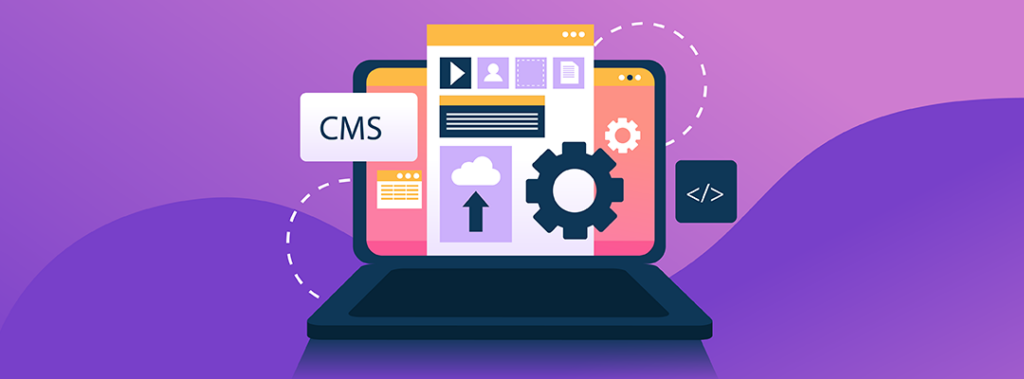
Content management systems (CMS) are crucial to modern website development. A CMS enables website owners and developers to manage content efficiently and easily as they create, edit, publish, and archive content. With the advancement of technology, several CMS platforms have emerged over the years, offering developers various options to choose from. However, choosing the right CMS platform for your project can be daunting, especially when considering developing a custom CMS. This article will compare the pros and cons of developing a custom CMS versus popular CMS platforms. We will explore the factors influencing the choice of CMS platforms and guide developers in making informed decisions regarding custom software development. Understanding CMS Platforms Before diving into the comparison, let’s briefly define a CMS platform. A CMS software application helps create, manage, and deliver digital content such as text, images, audio, and video. CMS platforms come in two forms: open-source and proprietary. Open-source CMS platforms are free and, as the name suggests, provide open-source content management. Developers have access to the source code, which enables them to modify and customize the platform to fit their needs. On the other hand, Proprietary CMS platforms are commercial software that requires a license fee to use, and developers do not have access to the source code. Pros and Cons of Developing a Custom CMS Developing a custom CMS can be a daunting task that requires time, effort, and resources. However, there are several advantages to developing a custom CMS: Pros: 2. Scalability: A custom CMS can be scaled to meet the growing demands of the website. Developers can add new features and functionalities without relying on third-party plugins or modules. 3. Security: A custom CMS is less vulnerable to security breaches since it is less widely used than popular CMS platforms. Developers can implement security features specific to their websites, reducing the risk of attacks. 4. Ownership: When you develop a custom CMS, you own the source code and have complete control over the software. This means you can modify, distribute, and sell the software as you see fit. However, there are also several disadvantages to developing a custom CMS: Cons: Pros and Cons of Popular CMS Platforms Popular CMS platforms such as WordPress, Joomla, and Drupal have a large user base and offer several advantages to developers: Pros: 2. Plugins and Modules: Popular CMS platforms have a vast library of plugins and modules that can be used to extend the functionality of the CMS. This can save developers time and effort in developing custom solutions. 3. Cost-effective: Popular CMS platforms are generally free to use, and some offer premium features at a reasonable price. This makes them a cost-effective solution for website development. 4. Easy to use: Popular CMS platforms are user-friendly and require little technical knowledge to operate. This makes them an accessible option for novice website owners and developers. However, there are also some disadvantages to using popular CMS platforms: Cons: 2. Security: Popular CMS platforms are widely used, making them a target for security attacks. This means that website owners and developers must be vigilant in implementing security measures to prevent breaches. 3. Upgrades: Popular CMS platforms require regular upgrades to remain secure and functional. However, upgrades can sometimes cause compatibility issues with plugins and modules, resulting in website downtime. 4. Ownership: When you use a popular CMS platform, you do not own the source code. This means that you do not have complete control over the software and are limited in modifying, distributing, and selling the software. Choosing the Right CMS Platform Choosing the right CMS platform for your project depends on several factors, such as budget, timeline, scalability, customization, and security. It’s essential to evaluate these factors carefully to determine which option is the best CMS suited for your needs. A popular CMS platform may be the best option if you have a limited budget and require a quick turnaround time. However, if you require a highly customized solution with complete control over the software, a custom CMS may be the better choice. Conclusion Developing a custom CMS versus popular CMS platforms has pros and cons. It’s essential to evaluate your project’s specific needs carefully before deciding. Remember to consider budget, timeline, scalability, customization, and security factors. Whatever CMS platform you choose, ensure that it meets your requirements and enables you to achieve your website development goals. If you want CMS development services from experts, then get in touch to learn more! We’ve got you covered! Whether you’re looking for web application development services or custom CMS/software development, Golpik’s experts have got you covered. Get in touch to learn more about how you can reinvent your CMS-based projects for guaranteed success!
The Top Web Application Frameworks of 2023: A Comprehensive Guide
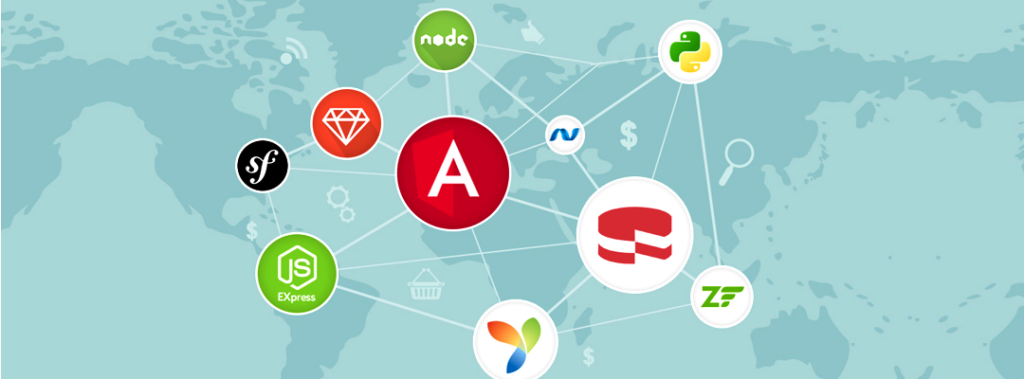
Are you looking to build a web app in 2023? If so, you’ll need to choose the proper web application framework that can help you create an application that is scalable, secure, and efficient. With so many web app development frameworks to choose from, it can be overwhelming to determine which one is the best fit for your project. But don’t worry! In this blog post, we’ll review the top web app development frameworks of 2023 and help you choose the one that is best suited for your needs. And, as an added bonus, we’ll also introduce you to who Golpik is i.e., a tech firm that specializes in custom web application development using the latest web development technologies and frameworks. With Golpik as your development partner, you can rest assured that your web app will be in good hands. Now let’s go into more detail about the top web application framework of 2023, its features, benefits, and drawbacks. 1. React React is a JavaScript library for building user interfaces. It was created by Facebook and is used by companies like Instagram, Netflix, and Airbnb. React allows developers to build reusable UI components, making it easy to create complex interfaces. React’s virtual DOM (Document Object Model) enables efficient updates to the UI, making it fast and scalable. Its popularity has led to a massive ecosystem of libraries and tools, making it an excellent choice for building web apps. Benefits: Drawbacks: 2. Angular Angular is a TypeScript-based open-source web application framework created by Google. It is one of the most popular web frameworks for building complex, enterprise-level applications. Angular provides a set of tools and libraries for building scalable, maintainable, and efficient web apps. Angular’s data binding, dependency injection, and component-based architecture make it easy to develop and test web apps. Its built-in modules and services simplify the web application development process, and its CLI (Command Line Interface) provides a range of features to speed up development. Benefits: Drawbacks: 3. Vue.js Vue.js is a JavaScript web application framework for building user interfaces. It is gaining popularity among developers due to its ease of use and lightweight size. Vue.js provides a range of features for building reactive and composable web apps. Vue.js’s templating system allows developers to write HTML templates and bind data to them, making it easy to create complex UIs. Its reactive system updates the UI automatically when data changes, making this web app framework efficient and fast. Benefits: Drawbacks: 4. Django Django is a Python-based web application framework that follows the model-view-controller (MVC) architecture. It is popular among developers due to its simplicity and ease of use. Django provides a set of tools and libraries for building scalable and secure web apps. Django’s ORM (Object-Relational Mapping) system allows developers to interact with databases using Python code, making it easy to manage data. Its built-in admin interface provides an easy way to manage the app’s backend, making it popular for building content management systems and e-commerce websites. Benefits: Drawbacks: 5. Ruby on Rails Ruby on Rails is a popular open-source web application framework created using the Ruby programming language. It follows the model-view-controller (MVC) architecture and provides a set of tools and libraries for building scalable and secure web apps. Ruby on Rails is popular among developers due to its convention over the configuration approach, which simplifies the development process. Its built-in ORM system, ActiveRecord, makes it easy to manage data, and its modular architecture allows easy customization. Benefits: Drawbacks: Conclusion Choosing the right web application framework is critical to ensure that the app is scalable, secure, and efficient. In this blog post, we reviewed the top web app development frameworks of 2023, including React, Angular, Vue.js, Django, and Ruby on Rails. React and Angular are popular choices for building complex, enterprise-level applications, while Vue.js is gaining popularity among developers due to its lightweight size and ease of use. Django and Ruby on Rails are popular among developers due to their simplicity and ease of use. Ultimately, the choice of web application framework will depend on the project’s specific needs, the development team’s skillset, and the available resources. It is essential to research and compares different frameworks before making a final decision. At Golpik, we specialize in building custom web apps using the latest frameworks and technologies. Our team of expert developers has extensive experience in building scalable, secure, and efficient web apps that meet the specific needs of our clients. Whether you need a simple website, an e-commerce platform, or a complex enterprise-level application, we have the skills and expertise to deliver high-quality web apps that exceed your expectations. Contact us today to learn more about our web app development services and how we can help you achieve your business goals. Let us be your partner in taking your business to the next level with our innovative and customized web app solutions.
Which CMS is Best for a Small Business Website?
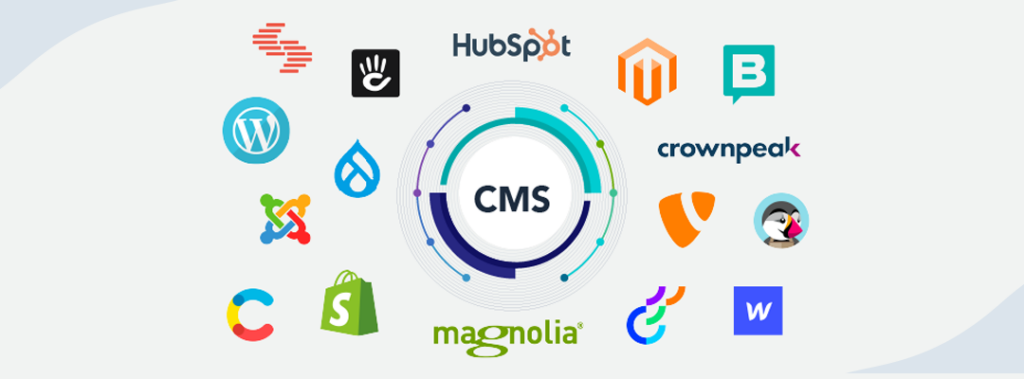
As the internet continues to grow and evolve, businesses have more options than ever to choose from when creating a website. With so many different Content Management Systems (CMS) available, it can be difficult to determine which one is the best fit for your small business website. This decision mostly relies on understanding why business needs CMSs. In this guide, you’ll learn about each offer’s different CMS features and how they can help you create a small business website that meets your needs. We’ll also discuss the key considerations to keep in mind with CMS development, such as cost, ease of use, scalability, and security. Finally, we’ll cover best practices for setting up and maintaining your website so you can get the most out of your CMS. Whether you’re a new business owner looking to create a website from scratch or an experienced webmaster looking to switch to a new platform or for web application maintenance, this guide will provide the information you need to make an informed decision and get the most out of your CMS. WordPress WordPress is one of the most popular and widely used CMS platforms for small business websites that is proven to solve many business problems. It is an open-source platform, which means it’s free to use and highly customizable, with a variety of themes and plugins available. It’s also user-friendly, making it easy for even those with limited technical skills to create and manage their website. One of the main advantages of WordPress is its SEO-friendliness. WordPress is optimized for search engines, which can help your website rank higher in search results. It’s also easy to add and manage your website’s content, with a built-in editor that allows you to make updates quickly and easily. This makes web application maintenance easier as well. WordPress is also highly scalable and can be used for websites of all sizes, from small business blogs to large e-commerce stores. It’s also secure, with regular updates to ensure your website and data are safe and secure. Overall, WordPress is an excellent choice for small business website owners looking for an easy-to-use and customizable website platform. It’s also a great option for those who want to add features and functionality to their websites without having to learn a lot of code. Wix Wix is a cloud-based website builder that is ideal for small businesses that want a website up and running quickly and easily. Its drag-and-drop interface makes it simple to create a website, even if you have limited technical skills. With Wix, you can choose from a wide range of templates and customize them to fit your brand and style. Wix is also affordable, with plans starting at just $13 per month. It’s also user-friendly, with a range of features that make it easy to manage your website, including a built-in e-commerce platform and easy-to-use SEO tools. Wix also offers a wide range of additional features, such as its Wix App Market, which provides access to a range of apps and services to help you grow your website; its Wix Code, which enables you to customize your website’s code; and its Wix ADI, which is an AI-based website builder. Furthermore, Wix provides hosting services, so you don’t have to worry about finding a hosting provider for your website. Wix also offers customer support and a variety of learning resources, such as tutorials, webinars, and blogs, so you can always find the help you need. In summary, Wix is an excellent choice for a small business website that’s easy to use with Wix’s website builder and the range of features as well as services. With Wix, you can quickly and easily create a website that looks professional and is tailored to meet your needs. Squarespace Squarespace is a website builder designed to be easy to use and highly customizable. It offers a range of templates optimized for different types of small business websites, making it a great option for those looking for a professional-looking website without needing technical expertise. Squarespace is also SEO-friendly, with various tools and features designed to help your website rank higher in search results. It also has built-in e-commerce functionality, making it a great option for small businesses selling products or services online. Furthermore, Wix provides hosting services, so you don’t have to worry about finding a hosting provider for your website. Wix also offers customer support and a variety of learning resources, such as tutorials, webinars, and blogs, so you can always find the help you need. In summary, Wix is an excellent choice for small businesses that want an easy-to-use website builder with various features and services. With Wix, you can quickly and easily create a website that looks professional and is tailored to meet your needs. Shopify Shopify is a cloud-based e-commerce platform specifically designed for small businesses looking to sell products or services online. It’s user-friendly and easy to use, with various templates and customization options available. Shopify is also highly secure, with built-in security features and 24/7 customer support to ensure your website stays up and running smoothly. It’s also scalable, making it a great option for small businesses looking to grow and expand. Shopify offers a wide range of features to help you create a successful online store, including: • Shopping Cart and Payment Processing: Shopify offers a comprehensive shopping cart system and accepts all major credit cards, as well as PayPal and Apple Pay. • Inventory Management: Shopify allows you to keep track of your inventory, manage orders, and set up automated shipping notifications. • Design Tools: It has a wide range of design tools and custom themes, so you can create a unique and attractive store. • Analytics and Reporting: You can track your store’s performance with Shopify’s built-in analytics and reporting tools. • SEO Optimization: Shopify has built-in SEO features to help you optimize your store and increase visibility in search engine results. • Mobile Optimization: Shopify is optimized for mobile, so your store is
Reasons for a Website or App Redesign & How to Do It!

Your brand is visually represented in the design of your website and apps. The UI and UX of any service, item, or product you sell must be of the highest caliber. But let’s be honest: the design typically has room for improvement, and facilitating app redesign solutions requires a skilled hand. Did you know that 90% of website visitors leave because the site is poorly designed? It only has one meaning: if you are aware that design is your weakness, it is time to begin your redesign app journey. Therefore, if you want to keep your visual representation current, website and app redesign is a process you cannot avoid. You need to know all the relevant information for an apt redesign approach. What Signs Might Point to The Need for a Redesign? Why should a website or app be updated? Think of it as a hygienic routine, similar to getting your hair cut. Redesigning an app or website will improve user experience, increase customer loyalty, and boost conversion rates. The question “Why go for a website or app redesign” is not the only one you should be asking. How to redesign a website and the methodology involved in redesigning a website are other queries. The process of a website redesign is covered in this article. We will provide you with a step-by-step guide on an effective redesign that addresses all important website and app aspects, as well as the definition of redesign, when to start one, and why. Guide on Redesigning Your Website Whether it’s a corporate website or an app redesign for a financial institution, there are generally ten steps involved in redesigning a website or app. Each of them is listed below, along with a detailed explanation of why you must complete this step. This project plan template is a basic one for website redesigns. Carrying Out an Audit An audit involves researching and analyzing the current website, its performance, and user experience. This includes looking at user behavior, user feedback, website analytics, web or mobile app architecture, and competitor analysis. This helps to identify any potential problems or areas of improvement. An audit is the first step in a website or app redesign that aids in product and market understanding. Without this knowledge, we cannot proceed to understand the effects of our actions. Once the audit is complete, the team can begin creating a website or app redesign plan that considers the user’s needs and the business’s goals. This includes deciding on a design direction, creating a navigation structure, and making content and design decisions. After the plan is finalized, the website or app redesign implementation can begin. This includes coding, testing, and launching the new website. Once the new website is running, the team can review the results and look for ways to improve the user experience. Identifying Areas for Website Improvement It occasionally happens that issues with a website or app have nothing to do with the design. We must confirm that the website or app redesign is required and identify additional work areas. Defining The Redesign Strategy Before relaunching the website, we develop the redesigning strategy and lay out the range of the work that needs to be done. The strategy process should include the following steps: Project Administration The following should be the top priority in any plan for a website redesign: the changes must be made gradually to avoid affecting other communication channels and confusing users. The next steps should include the following: Creating The Client Profile Who is the ideal client for you? The customer profile is created at stage five to learn more about your clients’ ICPs, goals, and problems they hope to solve with your goods or services. UI/UX Identifying the most practical ways to improve user experience is crucial. You must do thorough research about your target audience and create a user experience that meets their needs. You should also ensure that you design your website with a focus on usability, accessibility, and responsiveness. Moreover, we would recommend you ensure that all elements of the website are visually appealing and easy to navigate. Conducting Tests Beta testing is essential to fully grasp how the introduced changes impact the product or service. Naturally, it delays the website or app redesign, but the result is worth the delays. Beta testing is testing a product or service before it is officially released. Generally, it involves the participation of a small group of people who are given access to the product or service in its current state and asked to provide feedback and suggestions. This feedback can be used to identify any areas of improvement or potential issues with the product or service. The testing process should be tailored to the requirements of the product or service being tested. For example, if the website or app redesign includes new features or a different user interface, these should be tested thoroughly to ensure they are functioning as expected. Testing should also focus on how the changes impact the user experience and how easy it is for the user to navigate the website. The feedback gathered from beta testing is invaluable for ensuring that the product or service is ready for launch. Beta testing can also provide valuable insights into how the product or service can be improved in the future. Gathering Feedback Always put your customers first and solicit their opinions. This knowledge will help you decide which changes to make first and how to manage a website redesign project. Gathering feedback is an essential part of any website redesign project. It helps understand the customer’s needs, preferences, and expectations. Use this information to make informed decisions about what features or updates to add or remove. There are several ways to gather feedback. Surveys and questionnaires are the most popular tools to collect customer opinions. They can be administered online or in person. Interviews are also a great way to get deeper insights into customer preferences. Focus groups are a useful tool
Debunking 10 Misconceptions About Headless CMS

Headless CMS is a rapidly growing technology and is becoming increasingly popular among developers and marketers. However, there are still many misconceptions about what it is and how it works. We will be debunking these myths and providing a clear understanding of what headless CMS is and why it’s a valuable tool for businesses. So, whether you’re new to headless CMS or have been using it for a while, this post will give you a better understanding of the technology and help you make more informed decisions about your content management strategy. What is a Headless CMS? A headless CMS, also known as a “decoupled” CMS, is a type of content management system that separates the back-end content management functionality from the front-end presentation. Unlike traditional “monolithic” CMS, where the content management system is closely tied to the front end, a headless CMS allows for the content to be accessed and delivered through an API to any number of front-end applications or channels. This separation of concerns allows for greater flexibility, scalability, and faster development times, as well as the ability to use different technologies and frameworks for the front end without limitations. This type of Content management system is becoming increasingly popular among developers and marketers as it allows for a more efficient and streamlined way of managing and delivering content. Misconceptions About a Headless CMS Let’s dive deeper into ten of the top misconceptions related to headless content management systems. Only Developers Benefit from a Headless Architecture The headless CMS is still viewed as a novelty by many businesses. The process of changing from a legacy CMS to a headless CMS can be time-consuming and involve shifting team dynamics and technology. Businesses frequently balk at undertaking such a migration project. This is particularly true because it is widely believed that headless CMSs lack editorial tools like drag-and-drop interfaces, WYSIWYG editors, and content previews. The technical know-how of a front-end developer is still necessary for headless architecture in order to make content accessible to devices via an API using the required language, framework, and tools. A pure-play represents a significant change from a conventional Content management system because it frequently leaves out non-technical marketers and business users. This is where an API-first content platform with effective team orchestration functions that eliminate bottlenecks for non-technical users, will prove to be quite useful. With a Headless CMS, Content Preview is Not Possible. One of the scariest and most pervasive myths of all is that “headless CMSs do not allow you to preview content.” It forces you to believe that until a webpage goes live, you cannot view it. You rarely see content blocks that are later arranged by frontend tools when using headless solutions. You cannot preview content before publishing it in other native solutions. As a result, users are misled into thinking that all headless solutions forbid content preview. However, the majority of headless architectures include content preview as standard functionality. No Drag & Drop Feature Drag-and-drop functionality is not available in a Headless CMS like it is in a monolithic CMS. The world is not going to end, though. This is why: When editing, a Headless CMS does not permit pixel position layout. However, there is a misperception that a Headless CMS has no drag-and-drop functionality and only has a very limited amount of control over the content layout. With a headless solution, you can still manage where and how your content is presented, even without the ability to use a pixel position layout. Drag and drop is no longer necessary for modern digital experiences, but users still have total control over how the content is presented. In the digital age, marketers no longer favor drag-and-drop functionality. Users don’t always lose control of the content presentation when a drag-and-drop feature is absent. You can manage your content’s structure and order, presentation, picture size, picture alignment, and more with the majority of headless platforms, without using the drag-and-drop function. Editors can confidently press the publish button after seeing how their web pages will appear as they are being created. Headless CMSs Don’t Support Personalization With a hybrid-headless CMS, marketers can continue to be in charge of editing and content construction on the page, preserving personalization functionality and delivering content for all customer journey stages and devices. The MarTech Stack is Complicated This is obviously untrue. Integrations are the one thing a headless CMS excels at. A headless CMS can connect with any application or MarTech tool available on the market using the same technology that connects your content to any device. Even a headless CMS can be integrated into a specially created application. Developers Slow Down The Marketing Teams The use of a headless Content management system does not imply that marketing teams are held back by developers. Additionally, it doesn’t imply that marketers must wait for the developers each time they want to update or add fresh material to their web application. A headless CMS does not cause delays by introducing dependencies. It is true that when using a headless solution, front-end developers and marketers collaborate closely to push products live. It’s a myth that marketers must wait for product launches from developers. The models, templates, and other components needed to create a website using a headless CMS were initially set up by developers. After that, without needing to consult developers, marketers can easily change the content whenever they want. Working closely together, frontend developers and marketers can update web functionality, design, or both more quickly using headless CMS and an API-first strategy. With headless, developers set up page templates before editors create and publish them, so marketers don’t have to wait for them to go live. If anything, because of their technical expertise, willingness to experiment with new technologies, and collaborative work environment, developers help marketers in their efforts. Migrating to a Headless CMS Means Resetting Your Website A CMS migration is the process of switching from one CMS to another for a website, a collection of