
10 Must-Have CMS Features For Your Business in 2022
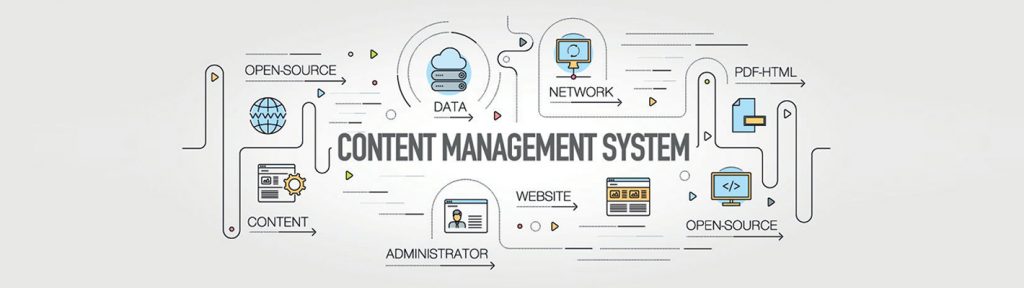
A content management system (CMS) is a software that enables a user to create and control the site’s content, design, and functionality without touching any underlying code. Think of it as driving a car. You do not have to understand the mechanics of how it all works. Instead, you use pedals and a simplified dashboard to tell the car what to do. Not only does a CMS store all of your web content in one place, but it also allows for quick and easy updates, supports collaboration across teams, and offers templates and extensions to customize your site. Before choosing a CMS, it is a good idea to make a list of the business problems you are trying to solve as well as any specific requirements you may have. Doing so will help you choose the right content management system, rather than the most popular one. When it comes to choosing CMS, you should go for the one that would meet your current and future expectations. Below are the 10 key features all CMS platforms should have. Key CMS Features Intuitive Dashboards The dashboard is the heart of any CMS. Whether it be scheduling content, monitoring threats, installing modules and plugins, tracking user activity, or reviewing performance analytics, it enables you to manage all tasks involved in content production and distribution. An intuitive dashboard will display all your tools in an effective and visually appealing manner. Responsive Themes/Templates While evaluating the CMS platforms, it is important to look at the themes/ templates each one offers. Themes are pivotal for creating a consistent look and feel across your site. All posts and pages published on your site should be optimized for all devices which makes it necessary for the theme to be responsive. If the CMS is not offering responsive themes/templates, it is always crucial to check if the download or purchase option of such themes or templates is available or not. Powerful Publishing Tools A good CMS offers a rock-solid, easy-to-understand, and intuitive content editor that allows you can to create and publish content of different types on the go. Ideally, it should allow you to add images, forms, videos, call to action, and more. Moreover, you should be able to rearrange these elements within the publishing interface. You can also leverage from the WYSIWYG – ‘what you see is what you get’ editor. Many CMS platforms have this editor. It allows you to modify a page without writing HTML code and see the changes in real-time. You’ll also want to ensure that the CMS makes it easy to manage the content as you need. For example, you may want to unpublish a promotion, while keeping the content handy to reuse it in the future. Any move should automatically update links to provide website users with a seamless experience. Built-in SEO Tools The in-built SEO tools make it easier for you to boost your marketing efforts. You can improve your ranking on search engine results pages and optimize your content for search with the help of built-in SEO tools in CMS. When you select any CMS, you should check whether it uses the following or not: Proper HTML markup SEO-friendly permalinks Responsive design elements These are the three essential practices all your pages should adhere to be in good standing with search engines. Detailed Analytics When it comes to visualizing what is working best for your business, analytics and insights are extremely important. It is crucial to know where your target audience is moving to further refine the content strategy. You need to know what device are they using, which pieces of content are most popular, and how they are interacting with content on different devices. Your CMS mostly likely will have built-in analytics for measuring the key performance indicators right from your dashboard. In case it does not, it should offer integration with any well-known analytics tool such as Google Analytics. Workflow and Publishing Controls It’s highly unlikely for only one person to be publishing content on your site, irrespective of the size of your business. When it comes to creating and publishing content, you might assign different roles to different people such as administrator, editor, author, and contributor. Having various roles with different capabilities and levels of access within your CMS helps streamline your workflow. It also prevents users from performing actions on your site that they shouldn’t be. For instance, you probably wouldn’t want an intern content writer to write and publish his post without your approval. The publishing controls within your CMS should reflect what your organization needs. With this in mind, your CMS should allow you to delegate controls based on your organizational structure. Pre-made Templates A template is a single-page layout available within a theme or is compatible with a theme and can be downloaded separately. Pre-made templates simplify your publishing process. With these, you don’t have to create a post or page from scratch every time you want to publish new content as the pages are already built. Some platforms offer pre-built templates for website pages, landing pages, and email directly within the CMS. Rest offer templates that can be purchased and easily integrated into your platform. In case you don’t find a template that meets all your needs, you’d like a CMS that allows you to create custom templates and styles along with offering pre-designed templates. Security Maximum security on your web app doesn’t mean just protecting your data. It also means protecting your brand reputation and the data of the site visitors and your customers. You must keep a close eye on security measures when considering different CMS platforms. Look into what built-in features does the platform offers, how much work your team will have to do to achieve your security standards, and whether or not your customers’ data is going to be secure. You may also want to make sure your CMS follows HTTPS, SSL, and CDN protocol, and provides plugin update reminders, daily back-ups, to ensure your data is secure. Integrations